$11.65
$20.97
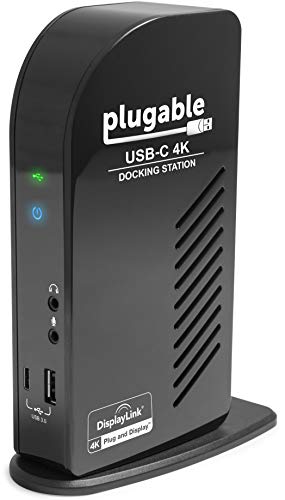
DescriptionCompatibilityCompatible only with the 13-inch MacBook Pro with Touch Bar Model A1706 released 2016 & 2017 and A1989 released 2017 to 2019.Connects to the USB Type-C ports and Audio port on the MacBook Pro with Touch Bar.OverviewThis LandingZone Docking Station is our most advanced yet.With an astounding 16 ports, it is designed to transform the MacBook Pro with Touch Bar into a powerful and versatile workstation.PORTS & FEATURES3 USB 3.1 Type-C Ports (Data Only / No Video)2 USB 3.1 Type-A Ports (Data Only)1 USB 3.1 Type-A Port (Data & 1.5A High Speed Charging)USB Type-C Passthrough PortHDMI Port (3840 x 2160 @ 30Hz)Mini DisplayPort & HDMI Port (3840 x 2160 @ 60Hz) – Can Not Be Used SimultaneouslyGigabit Ethernet PortSD Card SlotMicro SD Card SlotTwo-way Audio PortBuilt-in Kensington Security Slot compatible with all the Kensington Laptop Locks (sold separately) to secure the MacBook3-Color LED Status Indicator Light96W LandingZone US Power Adapter to charge the MacBook Pro with Touch Bar and power the docking stationThe included 96W LandingZone US Power Adapter powers the docking station and charges the MacBook. Connect multiple monitors to the HDMI 1, HDMI 2, Mini DisplayPort, or USB Type-C Passthrough port (USB Type-C ports on the Back do not support video). A total of 3 external monitors can be connected to the LandingZone. Adapters may be necessary to connect some displays to the LandingZone. The built-in USB hub contains 3 USB 3.1 Type-C ports (Data Only / No Video), 3 USB 3.1 Type-A ports (one charges at 1.5A), an Ethernet port, a two-way Audio jack, and the HDMI 2 port. The Left Wing contains a SD Card Slot, a Micro SD Card Slot, a Mini DisplayPort, and the HDMI 1 port. The Right Wing contains a USB Type-C Passthrough port that will support Thunderbolt devices.The LandingZone Docking Station for the MacBook Pro with Touch Bar is a USB Docking Station. This is not a Thunderbolt 3 Docking Station.If you experience any issues with the LandingZone, please try power-cycling the docking station. To power-cycle the docking station, begin by disconnecting all devices and cables (including the power adapter) and restarting your MacBook. Once your MacBook has rebooted, connect the power adapter and dock the MacBook. Once the MacBook is docked, plug in your devices one at a time and make sure they work. If you continue to experience any issues, please contact
[email protected] for further assistance.